
How Kitchen Display Systems Reduce Errors and Boost Speed
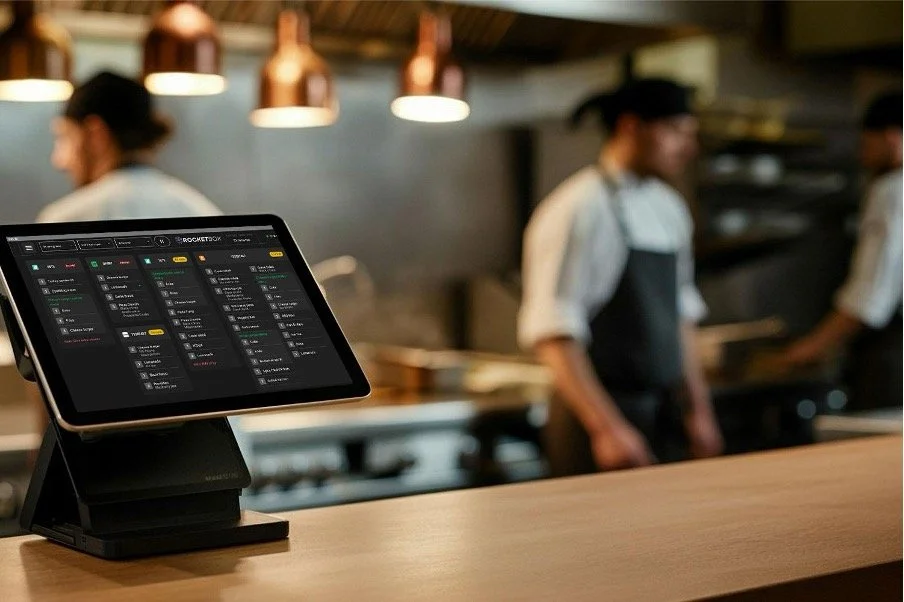
Kitchen Display Systems reduce errors. And if you run a busy kitchen, that one fact is worth real money.
Because every mistake has a price tag:
A remake (food cost + labour)
A refund or a freebie
A delayed delivery that shows up cold
A one-star review you can’t unsee
A team that gets more stressed every Friday night
A modern Kitchen Display System (KDS) is basically the kitchen’s control centre. It replaces paper tickets and “shout it to the pass” chaos with clear, live, trackable orders on screens. And when it’s done right, it doesn’t just look nice, it changes how your restaurant operations perform.
In this guide, you’ll learn exactly how kitchen display systems minimise order errors, speed up prep, and streamline workflow in busy restaurant kitchens. We’ll also compare “standard” KDS options with what a more advanced system like RocketBox is built to do for high-volume, delivery-first kitchens.
Why errors and slowdowns explode in takeout and delivery kitchens
Your operations didn’t get worse. The game changed.
Today you’re juggling:
Dine-in timing (everything hot at same time)
Takeaway timing (ready when the customer arrives)
Delivery timing (ready when the driver arrives)
Modifiers and allergies (and more of them than ever)
Multiple channels (POS, online, delivery channels)
That complexity is exactly where Kitchen Display Systems reduce errors.
Because most kitchen mistakes don’t happen due to poor training. They happen because the system is fragile:
Paper tickets get lost, smeared, misread, or duplicated
Someone forgets a modifier
A ticket gets bumped too early
One station doesn’t know the other station is stuck
A last-minute edit doesn’t reach the kitchen
And customers notice. Satisfaction benchmarks consistently track things like accuracy of food order and speed as core experience elements.
What is a Kitchen Display System (KDS), in plain English?
A Kitchen Display System is a screen (or multiple screens) that shows orders digitally, usually fed from your POS and online ordering channels.
Instead of printing tickets, your kitchen sees:
Order details and modifiers
Timers and ageing colours
Status changes (new, in progress, ready, served/collected)
The best explanation is the simplest: a KDS creates a live picture of what’s happening in the kitchen. Lightspeed describes its KDS as an order manager that updates as orders are prepared, creating “a live picture” of operations.
Toast’s is even more direct: changes made on POS devices “appear on KDS devices in the kitchen in real time.”
That “real time” part is where KDS reduce errors fast.
The real reason KDS reduce errors: they remove “interpretation” from the process
Errors happen when humans have to interpret messy signals.
Paper and verbal calls create interpretation:
“Does that say no onions or extra onions?”
“Was that order already fired?”
“Did the server tell the kitchen about the change?”
“Which order is this item for?”
A Kitchen Display System turns interpretation into clarity:
The ticket is legible
The modifiers are highlighted
The timing is visible
The status is trackable
The handoffs are structured
Fresh KDS, for example, focuses heavily on making modifiers clearer using formatting like colour, bold, italics, and custom styles so teams “get it right the first time.”
That’s not flashy. That’s expensive mistakes avoided.
How KDS reduce errors in a busy kitchen (the mechanics)
1) Clean, consistent tickets (no handwriting, no lost paper)
Paper fails in predictable ways - it prints faint, it tears, it falls, it stacks out of order, it gets “claimed” by one station and vanishes.
A KDS makes every ticket readable and persistent until completion. That alone is why KDS reduce errors for most kitchens within the first week.
2) Modifiers stop being “small text” and start being instructions
A big chunk of mistakes are modifier-related.
In drive-thru research, missed custom requests show up as a major error category. Different channel, same story: modifiers are where accuracy dies.
A KDS helps by:
Formatting modifiers to stand out
Keeping them attached to the item (not scribbled somewhere)
Making allergy notes impossible to miss
Most decent KDS explicitly support custom modifier display so critical instructions pop.
3) Order edits appear immediately (this is huge)
This is where paper systems get wrecked.
A customer calls:
“Remove the mayo”
“Change to gluten-free”
“Add fries”
“Cancel one item”
If that edit doesn’t reach the kitchen instantly, you either:
Make the wrong food
Waste food
Delay everything
On good point of sale systems, changes show up on the screen “in real time.”
That is exactly how KDS reduce errors around late changes.
4) Station routing reduces “wrong station” mistakes
If your kitchen has stations, you want the system to decide where items go, not a stressed human.
Some KDS support routing to prep stations as a core kitchen workflow concept.
Routing means:
Grill sees grill items
Fry sees fry items
Cold prep sees cold prep
Expo sees the whole order
Less noise. Fewer misses. More restaurant efficiency.
5) Timers, ageing colours, and alerts prevent “forgotten tickets”
Kitchens don’t just make mistakes. They forget.
KDS timers and visual alerts help teams catch tickets that are:
Sitting too long
Close to due time
Overdue and at risk of a complaint
Visual and auditory settings like ticket colour by age and alerts for changed or voided items make it easy for kitchen teams to keep in their groove even at peak times.
That’s how KDS reduce errors caused by “it got buried.”
6) All-day counts prevent “we ran out mid-rush”
When you can see real-time totals across open orders, you prep smarter.
Some advanced KDS offer batching which highlights real-time item totals across open orders to “prep with precision.”
This impacts:
Speed (batching)
Accuracy (less scrambling, fewer misses)
Waste (prep what you need, not what you guessed)
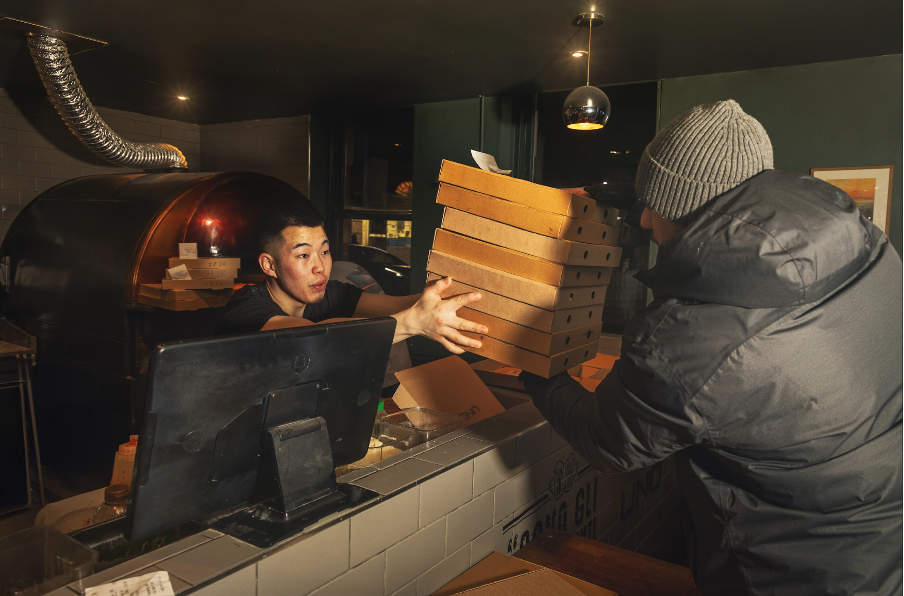
7) Better handoffs = fewer wrong bags and missed items
The last meter is where delivery mistakes happen:
Wrong order handed to the wrong driver
Missing items not caught before bagging
Orders sitting too long before collection
Internal “ready” staging and clear statuses are a major reason KDS reduce errors. Some advanced KDS like RocketBox even sync orders with delivery driver ETAs to ensure precision handovers.
8) A real audit trail makes coaching possible
Paper doesn’t tell you:
Who bumped what
When it was started
Where it got stuck
Which station caused the delay
A KDS creates the data to coach your team without guessing.
That’s how you optimise kitchen operations long-term, not just survive tonight.
Speed: how a KDS boosts output without hiring more people
Speed isn’t “work faster”. Speed is “remove friction”.
A Kitchen Display System removes friction by:
Reducing steps (less walking, less shouting, less searching)
Improving sequencing (what to do next is obvious)
Reducing rework (remakes kill throughput)
Improving pacing (fire items at the right time)
Some KDS use prep times to schedule and fire items to the KDS.
That kind of pacing matters more than most operators realise. It’s also where basic KDS starts to separate from advanced systems.
Standard KDS vs advanced KDS
Standard KDS tools are valuable. They just have limits.
Toast KDS (typical strengths)
Toast positions KDS as screens instead of printed tickets, with better communication and transparency, including real-time updates when POS changes occur. It also supports operational features like prep-time based item firing.
Best for: restaurants deeply inside the Toast ecosystem who want a solid, proven KDS.
Lightspeed KDS (typical strengths)
Lightspeed describes its KDS as a digital order management tool with a clear, colour-coded display to prioritise and track orders in real time. Its support docs emphasise a live, interactive picture of kitchen operations.
Best for: Lightspeed restaurants wanting straightforward kitchen visibility and tracking.
Fresh KDS (typical strengths)
Fresh KDS leans into real-time prep totals (“know exactly how much to prep”), clear modifiers (“get it right the first time”), order sorting features and mobile-friendly insights for managers.
Best for: teams who want a lighter setup, strong usability, and visibility features.
The shared limitation of standard KDS tools
Most standard KDS platforms focus on:
displaying orders cleanly
timers and alerts
basic reporting
That’s already a win. But it doesn’t fully solve the modern delivery-first problem:
The kitchen is not the only clock anymore. The driver is.
And that’s where RocketBox plays a different game.
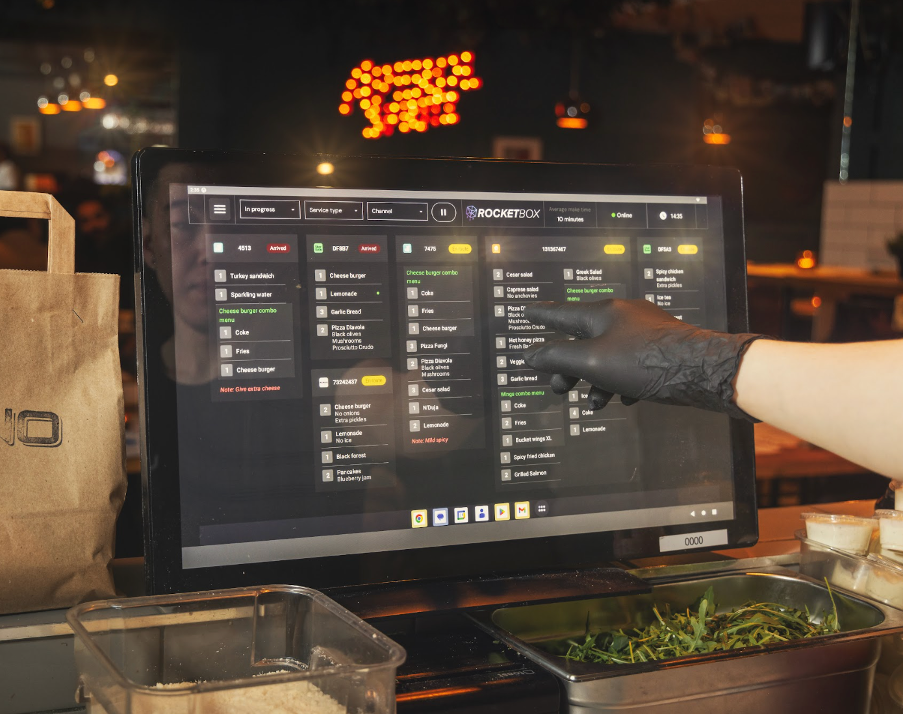
RocketBox: when your KDS becomes a decision engine, not just a screen
A basic KDS shows orders.
RocketBox is built to help the kitchen decide what to do next, based on:
order complexity
promised times
batching opportunities
station load
driver timing
What RocketBox is designed to do (and why it matters)
AI-powered order prioritisation and sorting: not just “oldest first”, but “best next action” for throughput and freshness.
Driver + kitchen sync: align prep timing with real-world pickup windows so food doesn’t sit and die.
Advanced multi-station routing (“kitchen stationising”): route by product, service type, and workflow rules so each station sees exactly what it needs.
Real-time product summary views by station: a prep-focused view that aggregates unbumped items so teams can batch intelligently.
Deep performance analytics: not vanity metrics. The stuff you coach from: bottlenecks by station, bump speeds, late patterns, delivery timelines and workflow breakdowns.
If your business is delivery-heavy, this is the difference between:
“We can see the chaos”
and“We can control the chaos”
That control is how an advanced KDS reduces errors and protects speed at the same time.
If you want to optimise kitchen operations, this is the starting point.
Implementation: how to roll out a Kitchen Display System without a mutiny
A KDS rollout fails for one reason: you treat it like “new screens” instead of “new workflow”.
Step 1: Map your stations and handoffs first
Before hardware goes up, answer:
What are the stations?
Who bumps items vs whole orders?
Where does expo live?
Where does packaging live?
What is “ready” vs “collected”?
Step 2: Define what “done” means
If “bumped” sometimes means “started”, your data becomes useless and your team gets confused.
Step 3: Start with one shift type, then expand
Pick your most predictable shift:
Lunch or early dinner
Train the team
Adjust screens and routing
Then roll into peak nights
Step 4: Measure 5 simple KPIs
You don’t need 30 dashboards. Start here:
Order accuracy (remakes / refunds)
Average ticket time
Late order rate
Station bottleneck frequency
Pickup wait time (takeaway & delivery)
Why? Because speed and accuracy are core experience drivers.
ROI: how Kitchen Display Systems reduce errors and pay for themselves
A KDS doesn’t “make money”. It stops leakage.
Places you leak money today:
Remakes and comps
Waste from wrong items
Refunds from delivery complaints
Labour spent on chasing tickets and status questions
Stressed staff pausing orders at peak rush
Throughput capped by chaos
Restaurant leaders are already leaning into automation for productivity. One survey notes that about one-third of restaurant leaders agreed that automation technologies like kitchen display systems increase productivity and reduce ordering time.
That lines up with what you see on the ground:
fewer mistakes
smoother handoffs
faster output
And when you add delivery complexity, an advanced approach (like driver and kitchen sync and smarter prioritisation) is where incremental gains become a competitive edge.
FAQs
What does “Kitchen Display Systems reduce errors” actually mean in practice?
It means fewer remakes, fewer missing modifiers, fewer wrong bags, and fewer delayed tickets caused by lost or unclear communication. This essentially means more revenue for your restaurant at peak times!
Does a Kitchen Display System help with Restaurant Food Delivery?
Yes. Delivery adds timing pressure and more modifiers. A KDS makes timing visible, improves routing, and improves handoffs so delivery orders leave complete and on time.
Can a KDS handle order edits?
Yes. Most KDS handle changes in real time meaning POS changes appear on KDS devices immediately.
What’s the difference between a basic KDS and RocketBox?
Basic KDS tools primarily display orders, like a digital display of paper tickets. RocketBox is built to prioritise and orchestrate orders for delivery-heavy kitchens using AI-driven sorting, driver timing sync, and advanced multi-station workflows.
Will a KDS make my kitchen faster immediately?
Ultimately, yes - most kitchens see improvements quickly after implementing a KDS. Immediate gains typically come from clearer order visibility, better prioritisation during peak periods, and reduced ticket chaos. The biggest performance improvements can be seen by implementing an advanced KDS like RocketBox.
Conclusion
Let’s bring it home.
And speed follows accuracy. When you stop remaking food and stop searching for tickets, you get faster without trying.
If you’re running a modern takeout and delivery operation, standard KDS tools can absolutely lift performance. But if delivery volume is high, the next level is orchestration: smarter prioritisation, station load balancing, and syncing prep with pickup reality.
That’s where RocketBox fits naturally: a KDS designed for delivery-first restaurants that want more than a screen, they want a system that helps them optimise kitchen operations, protect food quality, and keep drivers and kitchen perfectly aligned.
KDS reduce errors. The right KDS also turns speed into a repeatable process, not a lucky night.
